Creality K2 Combo vs Snapmaker 2.0 A250 Modular 3-in-1
Technical comparison · Fused filament fabrication (FFF/FDM)
They do not do the same job: the Snapmaker 2.0 A250 is a modular machine that engraves with a laser and mills as well as printing in 3D, while the Creality K2 Combo only prints in filament. For 3D printing alone the K2 Combo costs around €625 against around €1,250.
| Parameter | ||
|---|---|---|
| Identity | ||
| Launch year | 2024 | 2020 |
| Use tier | F2 — Intermediate | F2 — Intermediate |
| Price | ||
| Price (€) | ~550–700 € | ~1000–1500 € |
| Price updated on | 06/2026 | — |
| Universal specs | ||
| Dimensions (W×D×H) (cm) | 40.4 × 43.6 × 54.5 cm | — |
| Weight (kg) | 18 kg | 14.2 kg |
| Work area (mm) | 260 × 260 mm | 230 × 250 mm |
| Z-axis height (mm) | 260 mm | 235 mm |
| Power (W) | 1350 W | 320 W |
| Voltage (V) | 240 V | — |
| Maximum speed | 600 mm/s | — |
| Declared precision | 0.1 mm | 0.005 mm |
| Category specs | ||
| Footprint X×Y (short side) (mm) | 260 mm | 230 mm |
| Build height Z (mm) | 260 mm | 235 mm |
| Kinematics | CoreXY | Cartesian |
| Max nozzle temperature (°C) | 300 °C | 275 °C |
| Max bed temperature (°C) | 100 °C | 100 °C |
| Max print speed (mm/s) | 600 mm/s | — |
| Enclosed chamber | Yes | No |
| Filament sensor | Yes | Yes |
| Auto bed leveling | Mesh | Mesh |
| Standard nozzle diameter (mm) | 0.4 mm | — |
| Multi-extruder | No | No |
| Native Klipper | Yes | No |
| Input shaper | Yes | No |
| Multicolor printing | Yes | No |
| Multicolor requires accessory | No | Yes |
| Max colors | 16 | 1 |
| Ecosystem | ||
| Cloud dependency | No | No |
| Software notes | Powered by CrealityOS, a Klipper-based firmware, it supports remote control via Wi-Fi or LAN and interfaces natively with Creality Print and other compatible slicers for advanced multi-color workflow management. | The machine is natively managed via Snapmaker Luban, a free, cross-platform software (Windows, macOS, Linux) custom-built to handle the three workflows (3D printing, laser engraving, CNC carving) within a single interface. Luban simplifies the transition between tasks and is ideal for novice users. However, the controller, running on a custom firmware, supports the export and use of standard G-code files. Users can utilize third-party slicers like Cura or PrusaSlicer for 3D printing, LightBurn for laser module control, and Fusion 360 or Vectric Aspire for CNC operations, providing the necessary flexibility for more advanced workflows. |
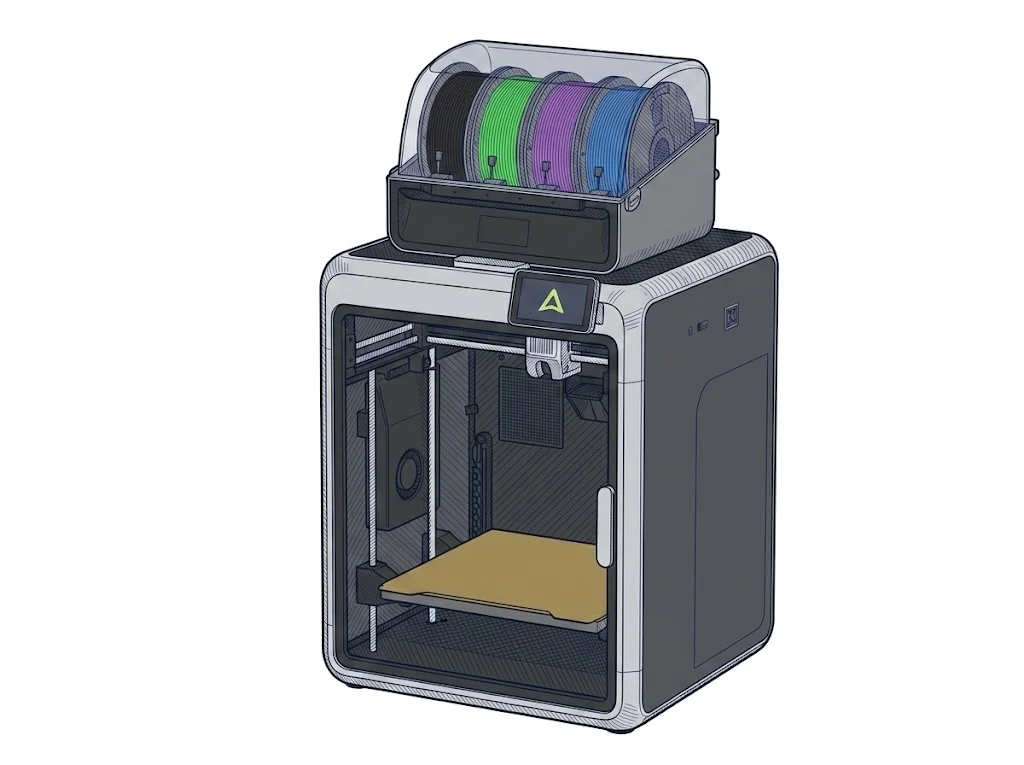
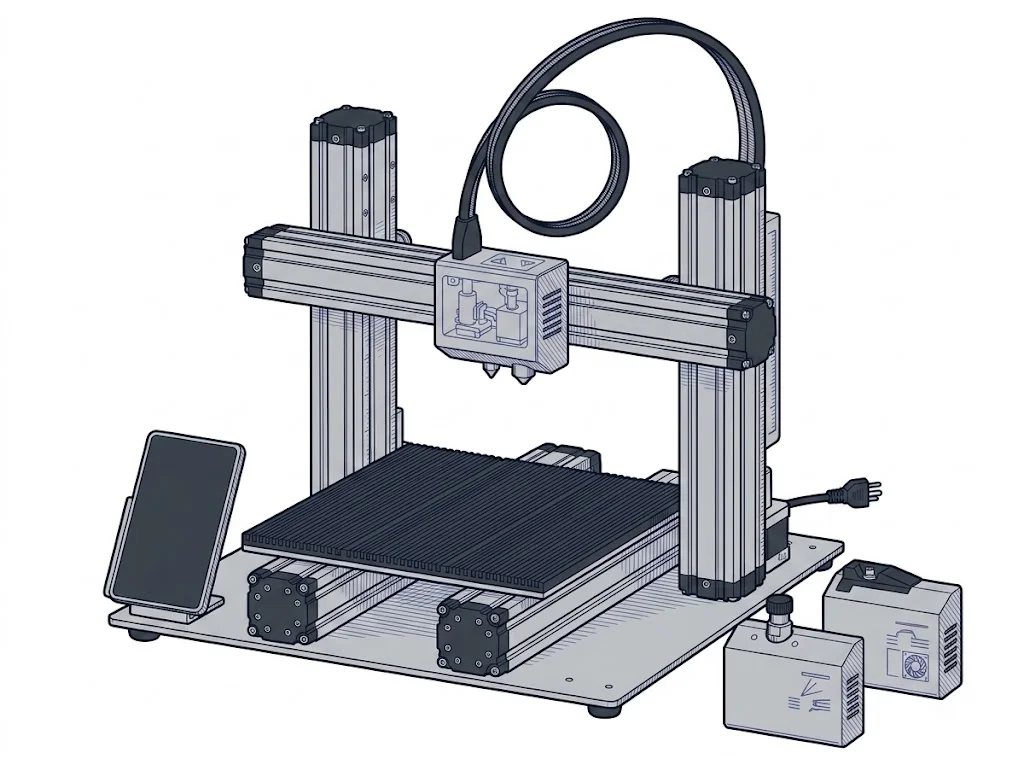
The differences that matter
- Printing only vs printing, laser and CNC → the A250 stands in for three machines, the K2 Combo for one.
- Enclosed vs open chamber → the K2 Combo prints inside a closed housing, the A250 in open air.
- Native Klipper and input shaper on the K2 Combo, not on the A250 → the K2 Combo has open, tunable firmware; the A250 goes through Luban.
- Around €625 vs around €1,250 → the gap pays for modularity, not for a better print.
Which one to choose
Choose K2 Combo if…
For anyone who only wants to print, including in several colours: enclosed chamber, a 260×260 mm bed and multicolour up to a declared 16 colours, for around €625. You accept that the machine neither engraves nor mills: laser or CNC work needs another machine.
Choose 2.0 A250 Modular 3-in-1 if…
For a small workshop that alternates 3D printing, laser engraving and milling from a single piece of software, Luban, with standard G-code if you prefer Cura, LightBurn or Fusion 360. It costs around €625 more, runs with an open chamber and the print area is 230×250 mm.
Where to buy
Paid link: the price for you does not change. Methodology
Filaments for these printers
The most chosen spools among the materials both printers can print according to their specifications.
- ELEGOO PLA PLA1.75 mm1 kg Check the price on Amazon →
- Bambu Lab PLA PLA1.75 mm1 kg Check the price on Amazon →
- SUNLU PETG (Polyethylene Terephthalate Glycol) PETG (Polyethylene Terephthalate Glycol)1.75 mm1 kg Check the price on Amazon →
- SUNLU PLA PLA1.75 mm1 kg Check the price on Amazon →
- OVERTURE PETG (Polyethylene Terephthalate Glycol) PETG (Polyethylene Terephthalate Glycol)High speed1.75 mm1 kg Check the price on Amazon →
Paid link: the price for you does not change. Methodology
As an Amazon Associate I earn from qualifying purchases.
MakerSpecs is an independent atlas. We don't sell products: the purchase links are the same as on the two product sheets and don't influence the verdict. The sheets have the complete data.