Bambu Lab P2S vs Snapmaker 2.0 F250
Technical comparison · Fused filament fabrication (FFF/FDM)
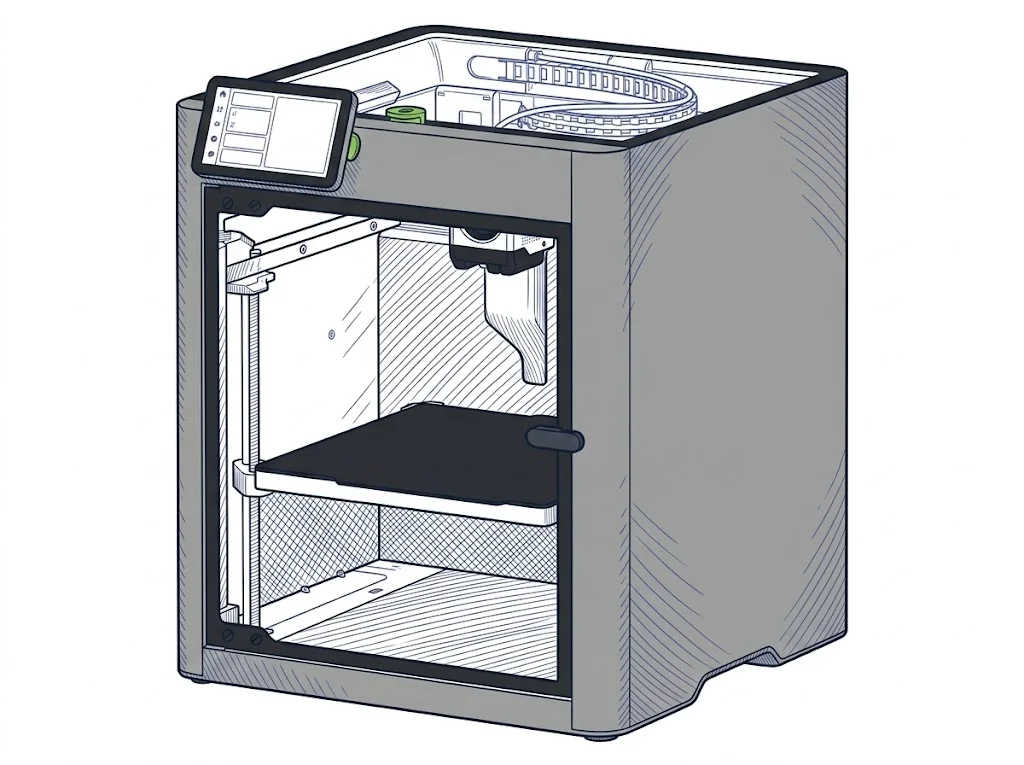
Two mid-range FDM printers at very different prices: the P2S is the newer model, with an enclosed chamber and accessory-based multicolor; the Snapmaker F250, released four years earlier, stays open-frame and single color.
| Parameter |
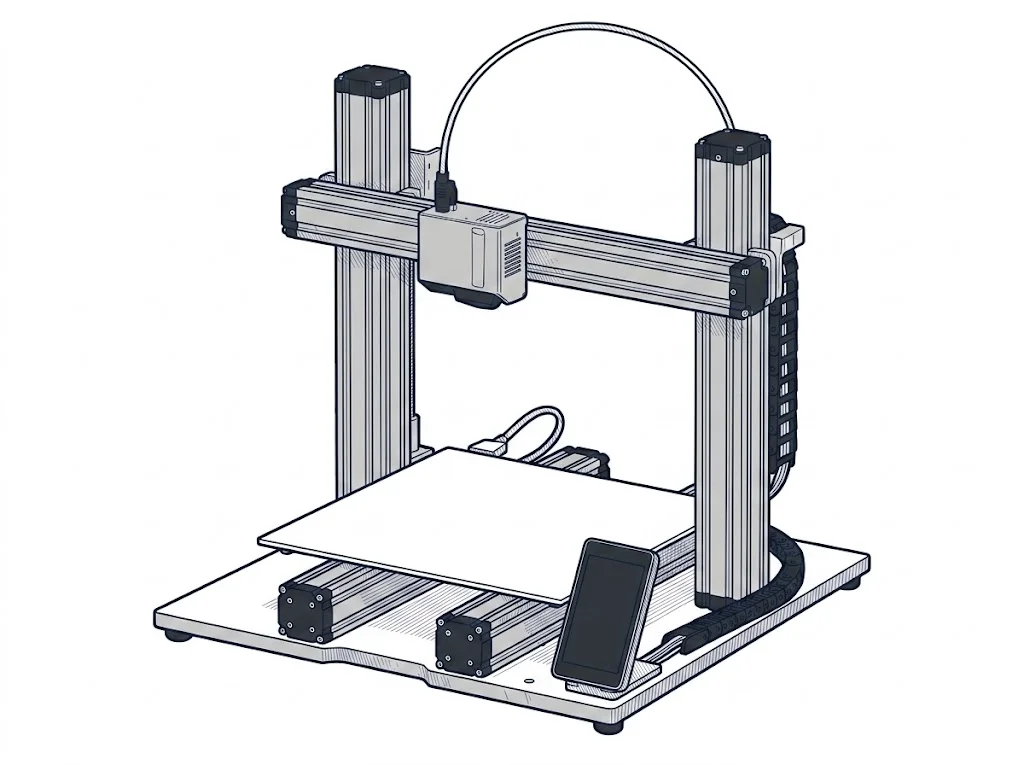 2.0 F250
Snapmaker
F2 · Intermediate
2.0 F250
Snapmaker
F2 · Intermediate
|
|
|---|---|---|
| Identity | ||
| Launch year | 2025 | 2021 |
| Use tier | F2 — Intermediate | F2 — Intermediate |
| Price | ||
| Price (€) | 519 € | ~900–1200 € |
| Universal specs | ||
| Dimensions (W×D×H) (cm) | 39.2 × 40.6 × 47.8 cm | — |
| Weight (kg) | 14.9 kg | — |
| Work area (mm) | 256 × 256 mm | 230 × 250 mm |
| Z-axis height (mm) | 256 mm | 235 mm |
| Power (W) | 1200 W | 320 W |
| Maximum speed | 600 mm/s | — |
| Declared precision | — | 0.05 mm |
| Category specs | ||
| Footprint X×Y (short side) (mm) | 256 mm | 230 mm |
| Build height Z (mm) | 256 mm | 235 mm |
| Kinematics | CoreXY | Cartesian |
| Max nozzle temperature (°C) | 300 °C | 275 °C |
| Max bed temperature (°C) | 110 °C | 100 °C |
| Max print speed (mm/s) | 600 mm/s | — |
| Enclosed chamber | Yes | No |
| Filament sensor | Yes | Yes |
| Auto bed leveling | Mesh | Mesh |
| Standard nozzle diameter (mm) | 0.4 mm | 0.4 mm |
| Multi-extruder | No | No |
| Native Klipper | No | No |
| Input shaper | Yes | No |
| Multicolor printing | Yes | No |
| Multicolor requires accessory | Yes | No |
| Max colors | 20 | 1 |
| Ecosystem | ||
| Cloud dependency | No | No |
| Software notes | The official slicer is Bambu Studio, available for macOS, Windows, and Linux. The printer also accepts standard G-code exported from third-party slicers such as PrusaSlicer, SuperSlicer, and Cura, though certain advanced Bambu-specific features — including RFID-based filament detection and some automatic calibration modes — are only available within Bambu Studio. Remote control is handled via the Bambu Handy mobile app and desktop app; push notifications require cloud connectivity. | The device utilizes the proprietary Snapmaker Luban software, an integrated environment that intuitively manages file preparation and print process monitoring. Luban offers preset profiles for the most common materials, simplifying the workflow for less experienced operators, while also granting access to advanced parameters for fine-tuning extrusion settings. Alternatively, the machine is fully compatible with popular third-party slicers on the market, such as Ultimaker Cura and PrusaSlicer, provided a custom profile is configured to fully leverage the system's capabilities. |
The differences that matter
- Price: €519 vs €1050 → the P2S costs less than half.
- Enclosed chamber: present on the P2S, absent on the Snapmaker F250 → less draft exposure for ABS/ASA on the former.
- Colors: up to 20 with AMS on the P2S, single color on the Snapmaker F250.
- Input shaping: present on the P2S, absent on the Snapmaker F250 → less residual vibration at higher speeds.
Which one to choose
Choose P2S if…
Anyone printing ABS or ASA works inside an enclosed chamber, and anyone changing colors often in the same part does it with the AMS accessory without stopping the print for a manual filament swap. Input shaping also cuts ringing on walls printed at higher speed.
Choose 2.0 F250 if…
Based on this data, the Snapmaker doesn't offer a technical edge over the P2S: no enclosed chamber, single-color printing, and no input shaping to counter vibration. Choosing it makes sense only for reasons outside this comparison, such as accessories already owned or compatibility with modules not covered here.
Where to buy
Paid link: the price for you does not change. Methodology
As an Amazon Associate I earn from qualifying purchases.
Filaments for these printers
The most chosen spools among the materials both printers can print according to their specifications.
- ELEGOO PLA PLA1.75 mm1 kg Check the price on Amazon →
- Bambu Lab PLA PLA1.75 mm1 kg Check the price on Amazon →
- SUNLU PETG (Polyethylene Terephthalate Glycol) PETG (Polyethylene Terephthalate Glycol)1.75 mm1 kg Check the price on Amazon →
- SUNLU PLA PLA1.75 mm1 kg Check the price on Amazon →
- OVERTURE PETG (Polyethylene Terephthalate Glycol) PETG (Polyethylene Terephthalate Glycol)High speed1.75 mm1 kg Check the price on Amazon →
Paid link: the price for you does not change. Methodology
As an Amazon Associate I earn from qualifying purchases.
MakerSpecs is an independent atlas. We don't sell products: the purchase links are the same as on the two product sheets and don't influence the verdict. The sheets have the complete data.