Bambu Lab P1P vs Bambu Lab P2S
Technical comparison · Fused filament fabrication (FFF/FDM)
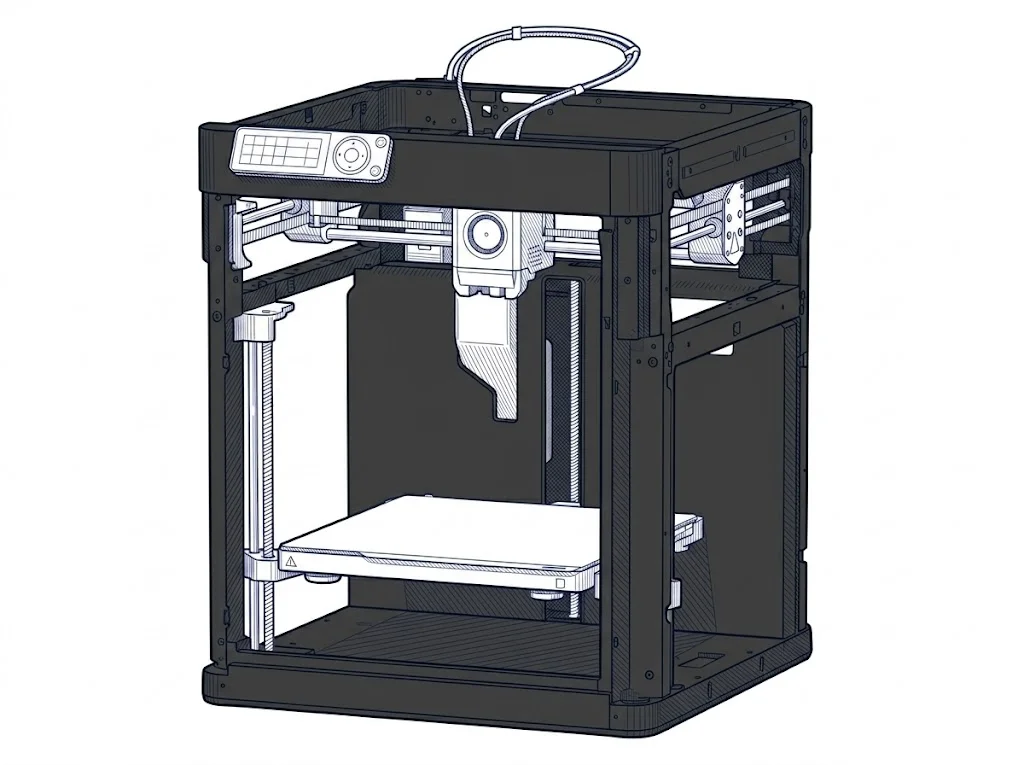
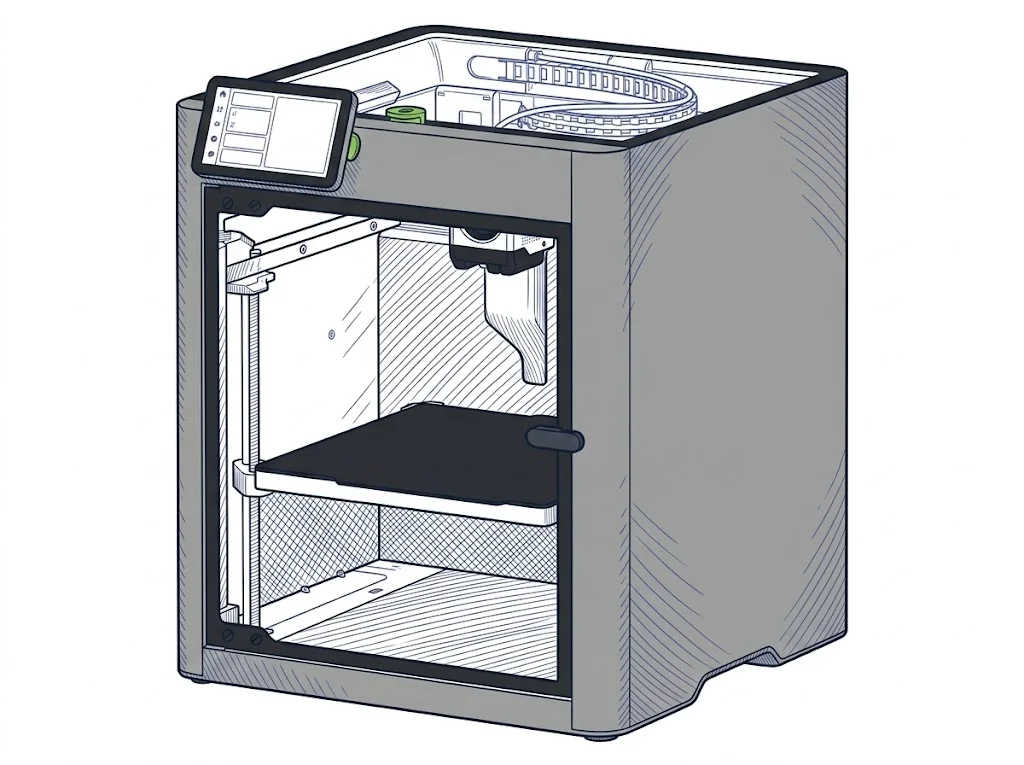
The P1P and the P2S share the same print bed (256×256 mm), but differ mainly in the chamber: open on the P1P, enclosed on the P2S. That's the difference that decides which materials print without warping.
| Parameter | ||
|---|---|---|
| Identity | ||
| Launch year | 2022 | 2025 |
| Use tier | F2 — Intermediate | F2 — Intermediate |
| Price | ||
| Price (€) | ~500–600 € | 519 € |
| Universal specs | ||
| Dimensions (W×D×H) (cm) | 38.6 × 38.9 × 45.8 cm | 39.2 × 40.6 × 47.8 cm |
| Weight (kg) | 9.65 kg | 14.9 kg |
| Work area (mm) | 256 × 256 mm | 256 × 256 mm |
| Z-axis height (mm) | 256 mm | 256 mm |
| Power (W) | 1000 W | 1200 W |
| Voltage (V) | 100 V | — |
| Maximum speed | 500 mm/s | 600 mm/s |
| Category specs | ||
| Footprint X×Y (short side) (mm) | 256 mm | 256 mm |
| Build height Z (mm) | 256 mm | 256 mm |
| Kinematics | CoreXY | CoreXY |
| Max nozzle temperature (°C) | 300 °C | 300 °C |
| Max bed temperature (°C) | 100 °C | 110 °C |
| Max print speed (mm/s) | 500 mm/s | 600 mm/s |
| Enclosed chamber | No | Yes |
| Filament sensor | Yes | Yes |
| Auto bed leveling | Mesh | Mesh |
| Standard nozzle diameter (mm) | 0.4 mm | 0.4 mm |
| Multi-extruder | No | No |
| Native Klipper | No | No |
| Input shaper | Yes | Yes |
| Multicolor printing | Yes | Yes |
| Multicolor requires accessory | Yes | Yes |
| Max colors | 16 | 20 |
| Ecosystem | ||
| Cloud dependency | No | No |
| Software notes | The P1P works with Bambu Studio, Bambu Lab's proprietary slicing software available for Windows, macOS, and Linux, and with the Bambu Handy mobile app for remote monitoring and print management. Cloud connectivity is optional: the printer also supports a LAN-only mode for users who prefer to operate without connecting to external servers. It is not natively compatible with open-source firmware such as Klipper, nor with third-party slicers like PrusaSlicer or OrcaSlicer without unofficial profiles. | The official slicer is Bambu Studio, available for macOS, Windows, and Linux. The printer also accepts standard G-code exported from third-party slicers such as PrusaSlicer, SuperSlicer, and Cura, though certain advanced Bambu-specific features — including RFID-based filament detection and some automatic calibration modes — are only available within Bambu Studio. Remote control is handled via the Bambu Handy mobile app and desktop app; push notifications require cloud connectivity. |
The differences that matter
- Chamber: enclosed on the P2S, open on the P1P → only the P2S prints ABS/ASA without warping.
- Weight: 9.65 kg on the P1P against 14.9 kg on the P2S → the P1P is easier to move or store.
- Stated speed: 500 mm/s on the P1P against 600 mm/s on the P2S.
- Colors with the AMS: up to 16 on the P1P, up to 20 on the P2S.
Which one to choose
Choose P1P if…
You print mostly PLA and PETG and prefer a lighter, easier-to-move machine: the P1P weighs 9.65 kg against the P2S's 14.9 kg, helped by an open chamber that cools these materials better. You give up printing ABS or ASA without warping.
Choose P2S if…
You also want to print ABS or ASA without warping: the P2S's enclosed chamber makes that possible, along with a higher stated speed (600 mm/s versus 500) and up to 20 colors with the AMS instead of 16. In exchange you get a heavier machine to move around (14.9 kg versus 9.65 kg).
Where to buy
Paid link: the price for you does not change. Methodology
As an Amazon Associate I earn from qualifying purchases.
Filaments for these printers
The most chosen spools among the materials both printers can print according to their specifications.
- ELEGOO PLA PLA1.75 mm1 kg Check the price on Amazon →
- Bambu Lab PLA PLA1.75 mm1 kg Check the price on Amazon →
- SUNLU PETG (Polyethylene Terephthalate Glycol) PETG (Polyethylene Terephthalate Glycol)1.75 mm1 kg Check the price on Amazon →
- SUNLU PLA PLA1.75 mm1 kg Check the price on Amazon →
- OVERTURE PETG (Polyethylene Terephthalate Glycol) PETG (Polyethylene Terephthalate Glycol)High speed1.75 mm1 kg Check the price on Amazon →
Paid link: the price for you does not change. Methodology
As an Amazon Associate I earn from qualifying purchases.
MakerSpecs is an independent atlas. We don't sell products: the purchase links are the same as on the two product sheets and don't influence the verdict. The sheets have the complete data.