Bambu Lab A2L vs Creality K2 Combo
Technical comparison · Fused filament fabrication (FFF/FDM)
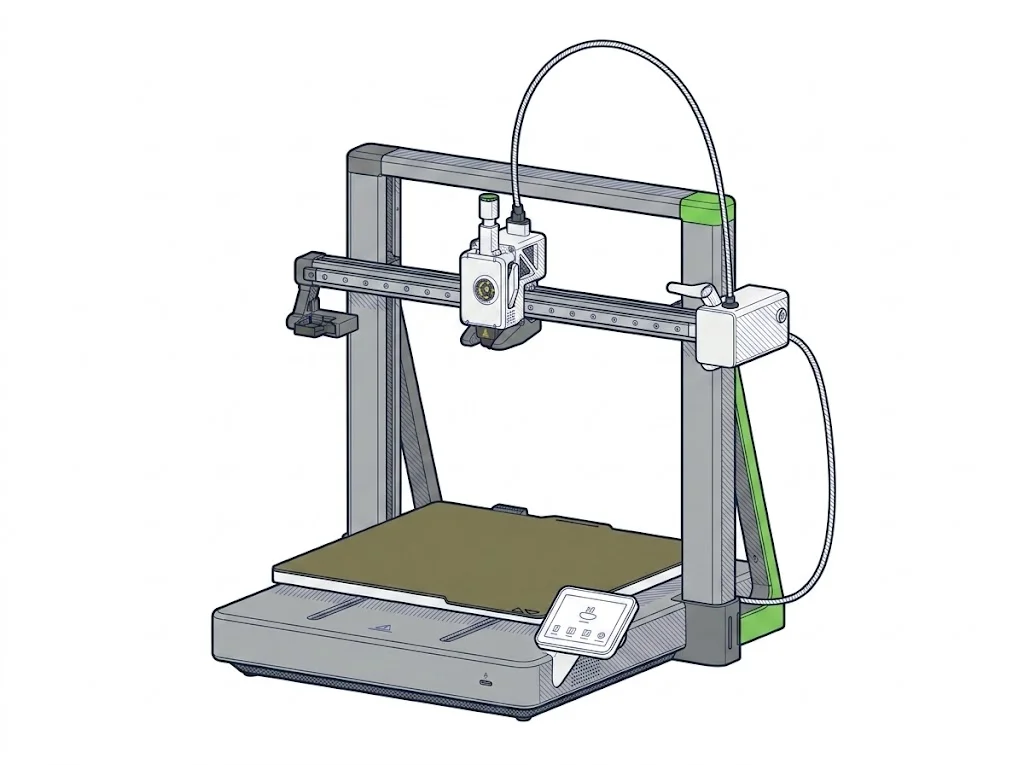
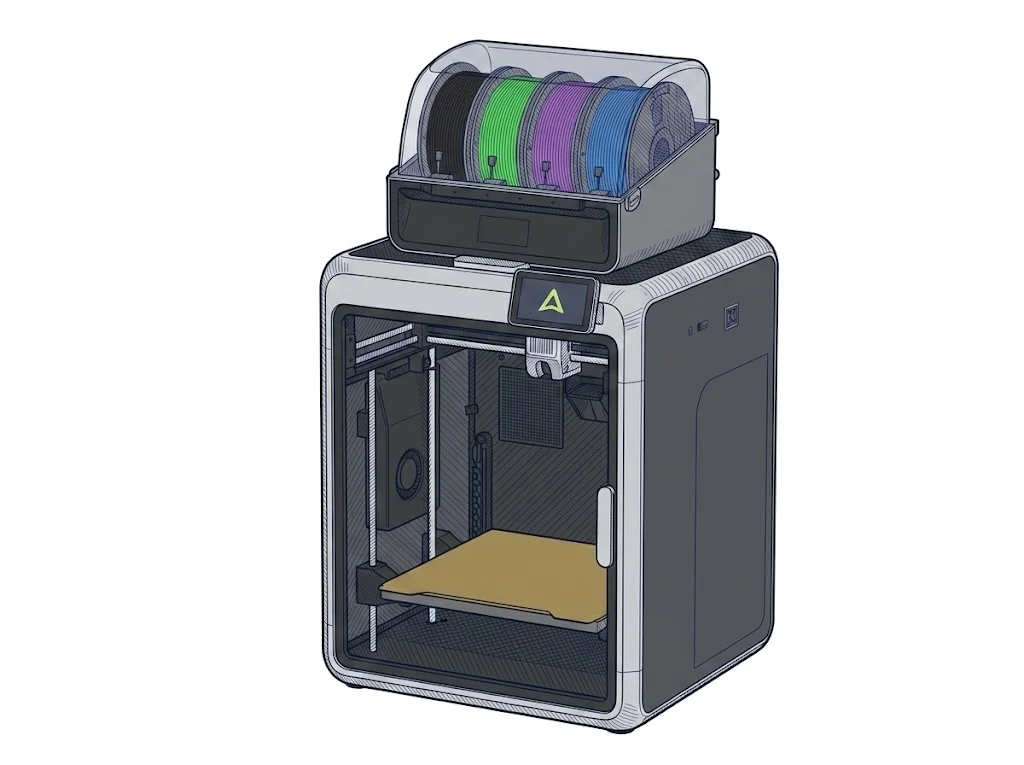
A €379 printer without an enclosure and with a lot of build volume, against an enclosed CoreXY with Klipper firmware and multicolour without an accessory at about €625. The choice is space and price on one side, a controlled chamber and an open firmware on the other.
| Parameter | ||
|---|---|---|
| Identity | ||
| Launch year | 2026 | 2024 |
| Use tier | F2 — Intermediate | F2 — Intermediate |
| Price | ||
| Price (€) | 379 € | ~550–700 € |
| Price updated on | — | 06/2026 |
| Universal specs | ||
| Dimensions (W×D×H) (cm) | 54.4 × 52.9 × 50.5 cm | 40.4 × 43.6 × 54.5 cm |
| Weight (kg) | 12.8 kg | 18 kg |
| Work area (mm) | 330 × 320 mm | 260 × 260 mm |
| Z-axis height (mm) | 325 mm | 260 mm |
| Power (W) | — | 1350 W |
| Voltage (V) | — | 240 V |
| Maximum speed | 500 mm/s | 600 mm/s |
| Declared precision | — | 0.1 mm |
| Category specs | ||
| Footprint X×Y (short side) (mm) | 320 mm | 260 mm |
| Build height Z (mm) | 325 mm | 260 mm |
| Kinematics | Cartesian | CoreXY |
| Max nozzle temperature (°C) | 300 °C | 300 °C |
| Max bed temperature (°C) | 80 °C | 100 °C |
| Max print speed (mm/s) | 500 mm/s | 600 mm/s |
| Enclosed chamber | No | Yes |
| Filament sensor | Yes | Yes |
| Auto bed leveling | Mesh | Mesh |
| Standard nozzle diameter (mm) | 0.4 mm | 0.4 mm |
| Multi-extruder | No | No |
| Native Klipper | No | Yes |
| Input shaper | Yes | Yes |
| Multicolor printing | Yes | Yes |
| Multicolor requires accessory | Yes | No |
| Max colors | 19 | 16 |
| Ecosystem | ||
| Cloud dependency | No | No |
| Software notes | The A2L is compatible with Bambu Studio, Bambu Lab's proprietary slicer for Windows and macOS, which provides native access to all machine features including AMS multi-color management. Third-party slicers that export standard G-code — such as PrusaSlicer and OrcaSlicer — are supported, though some advanced features may not be available outside Bambu Studio. Connectivity is via Wi-Fi; basic printing functions do not require a cloud account. | Powered by CrealityOS, a Klipper-based firmware, it supports remote control via Wi-Fi or LAN and interfaces natively with Creality Print and other compatible slicers for advanced multi-color workflow management. |
The differences that matter
- €379 against about €625, but multicolour on the A2L needs an accessory → the real gap is smaller than €250 if you want multicolour
- Bed 330 × 320 mm and 325 mm tall against 260 × 260 mm and 260 mm → wide or tall parts fit whole only on the A2L
- Enclosed chamber and bed to 100 °C on the K2 Combo, no enclosure and bed to 80 °C on the A2L → for filaments that want a hot bed or shelter from draughts, the K2 Combo is the safer pick
Which one to choose
Choose A2L if…
Wide or tall parts — a 300 mm organiser, a 300 mm vase — fit the A2L and not the K2 Combo, at a lower price. The trade-offs: no enclosure, a bed that stops at 80 °C, and an accessory to add for multicolour.
Choose K2 Combo if…
Printing inside a closed chamber, with a bed up to 100 °C, and changing colour without buying anything extra; the Klipper-based firmware (CrealityOS) is controlled over Wi-Fi or LAN. You accept less volume and a higher price.
Where to buy
Paid link: the price for you does not change. Methodology
As an Amazon Associate I earn from qualifying purchases.
Filaments for these printers
The most chosen spools among the materials both printers can print according to their specifications.
- ELEGOO PLA PLA1.75 mm1 kg Check the price on Amazon →
- Bambu Lab PLA PLA1.75 mm1 kg Check the price on Amazon →
- SUNLU PETG (Polyethylene Terephthalate Glycol) PETG (Polyethylene Terephthalate Glycol)1.75 mm1 kg Check the price on Amazon →
- SUNLU PLA PLA1.75 mm1 kg Check the price on Amazon →
- OVERTURE PETG (Polyethylene Terephthalate Glycol) PETG (Polyethylene Terephthalate Glycol)High speed1.75 mm1 kg Check the price on Amazon →
Paid link: the price for you does not change. Methodology
As an Amazon Associate I earn from qualifying purchases.
MakerSpecs is an independent atlas. We don't sell products: the purchase links are the same as on the two product sheets and don't influence the verdict. The sheets have the complete data.