Bambu Lab A2L vs Bambu Lab H2C
Technical comparison · Fused filament fabrication (FFF/FDM)
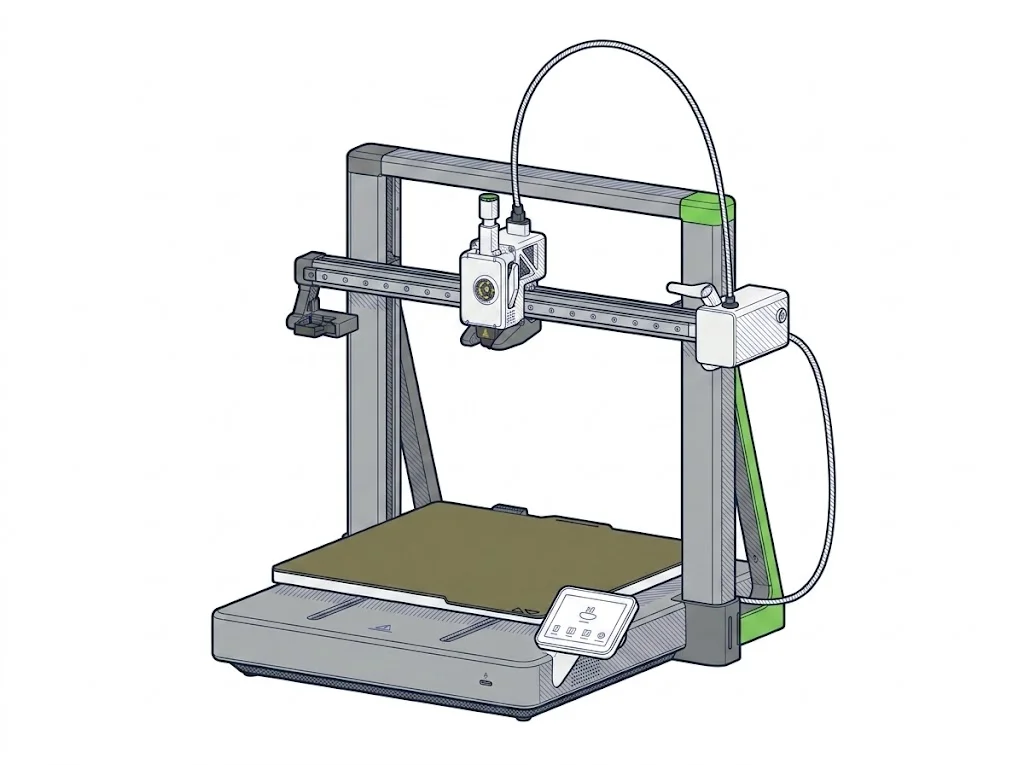
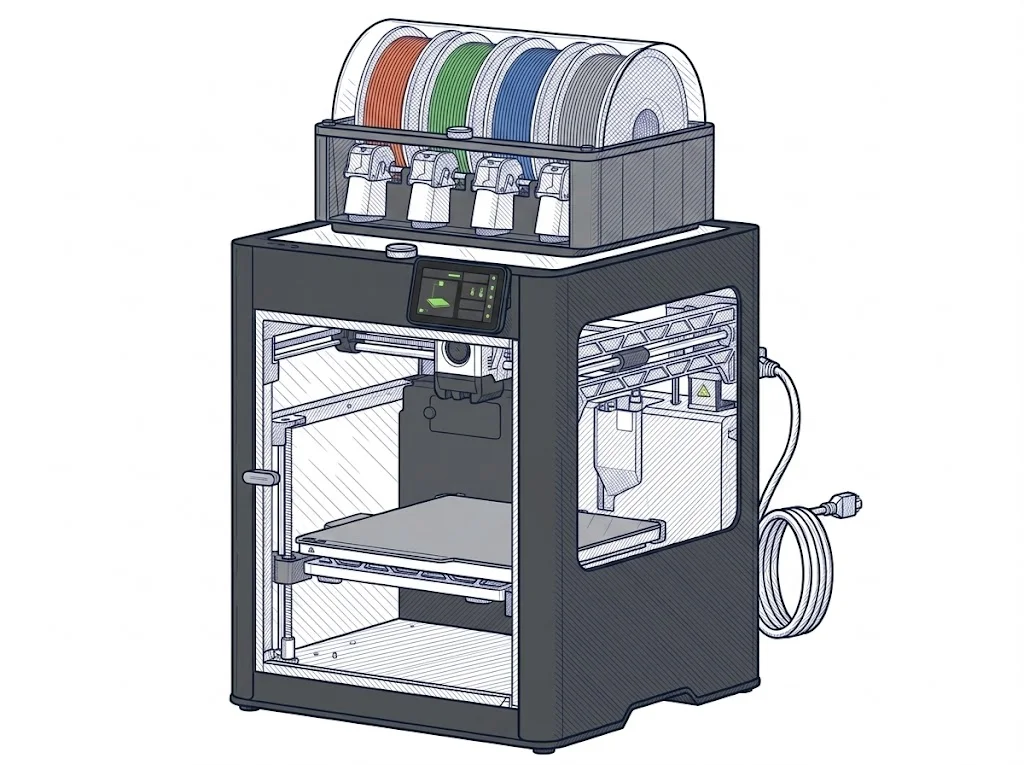
Anyone buying their first Bambu Lab printer looks at the A2L; anyone running serial production looks at the H2C. The price gap, almost six times over, says more than any spec sheet: these aren't in the same class, and comparing them only makes sense to see where hobby ends and professional work begins.
| Parameter | ||
|---|---|---|
| Identity | ||
| Launch year | 2026 | 2025 |
| Use tier | F2 — Intermediate | F3 — Advanced |
| Price | ||
| Price (€) | 379 € | 2249 € |
| Universal specs | ||
| Dimensions (W×D×H) (cm) | 54.4 × 52.9 × 50.5 cm | 49.2 × 51.4 × 62.6 cm |
| Weight (kg) | 12.8 kg | 32.5 kg |
| Work area (mm) | 330 × 320 mm | 330 × 320 mm |
| Z-axis height (mm) | 325 mm | 325 mm |
| Power (W) | — | 1800 W |
| Maximum speed | 500 mm/s | 1000 mm/s |
| Declared precision | — | 50 μm |
| Category specs | ||
| Footprint X×Y (short side) (mm) | 320 mm | 320 mm |
| Build height Z (mm) | 325 mm | 325 mm |
| Kinematics | Cartesian | CoreXY |
| Max nozzle temperature (°C) | 300 °C | 350 °C |
| Max bed temperature (°C) | 80 °C | 120 °C |
| Max print speed (mm/s) | 500 mm/s | 1000 mm/s |
| Enclosed chamber | No | Yes |
| Filament sensor | Yes | Yes |
| Auto bed leveling | Mesh | Mesh |
| Standard nozzle diameter (mm) | 0.4 mm | 0.4 mm |
| Multi-extruder | No | Yes |
| Native Klipper | No | No |
| Input shaper | Yes | Yes |
| Multicolor printing | Yes | Yes |
| Multicolor requires accessory | Yes | Yes |
| Max colors | 19 | 24 |
| Ecosystem | ||
| Cloud dependency | No | No |
| Software notes | The A2L is compatible with Bambu Studio, Bambu Lab's proprietary slicer for Windows and macOS, which provides native access to all machine features including AMS multi-color management. Third-party slicers that export standard G-code — such as PrusaSlicer and OrcaSlicer — are supported, though some advanced features may not be available outside Bambu Studio. Connectivity is via Wi-Fi; basic printing functions do not require a cloud account. | The printer is operated through Bambu Studio, Bambu Lab's open-source slicer based on PrusaSlicer, available for Windows, macOS, and Linux. Remote control is available via the Bambu Handy app or Bambu Suite. The machine includes a 5" color touchscreen for local operation and connects over dual-band Wi-Fi. The firmware is proprietary; Klipper is not natively supported. |
The differences that matter
- Price: €379 versus €2249, the real deciding factor.
- Chamber: open on the A2L, enclosed on the H2C — determines which materials you can print safely.
- Extrusion: single on the A2L, dual on the H2C, for real multi-material without manual swaps.
- Speed: 500 mm/s versus 1000 mm/s, only noticeable on large or urgent batches.
- Bed: 80°C versus 120°C, the practical ceiling for ABS and ASA.
Which one to choose
Choose A2L if…
Pick the A2L if you print PLA and PETG for personal projects or small prototypes and want into the Bambu Lab ecosystem without spending past €400. The open chamber isn't an issue with these filaments, and 500 mm/s covers most home prints.
Choose H2C if…
Pick the H2C if you print engineering materials like ABS, ASA or polycarbonate: the enclosed chamber and 120°C bed make it the only one of the two suited to them. Dual extrusion and 1000 mm/s matter if you run batch jobs against a deadline.
Where to buy
Paid link: the price for you does not change. Methodology
As an Amazon Associate I earn from qualifying purchases.
Filaments for these printers
The most chosen spools among the materials both printers can print according to their specifications.
- ELEGOO PLA PLA1.75 mm1 kg Check the price on Amazon →
- Bambu Lab PLA PLA1.75 mm1 kg Check the price on Amazon →
- SUNLU PETG (Polyethylene Terephthalate Glycol) PETG (Polyethylene Terephthalate Glycol)1.75 mm1 kg Check the price on Amazon →
- SUNLU PLA PLA1.75 mm1 kg Check the price on Amazon →
- OVERTURE PETG (Polyethylene Terephthalate Glycol) PETG (Polyethylene Terephthalate Glycol)High speed1.75 mm1 kg Check the price on Amazon →
Paid link: the price for you does not change. Methodology
As an Amazon Associate I earn from qualifying purchases.
MakerSpecs is an independent atlas. We don't sell products: the purchase links are the same as on the two product sheets and don't influence the verdict. The sheets have the complete data.