Anycubic Kobra X vs Bambu Lab P1S
Technical comparison · Fused filament fabrication (FFF/FDM)
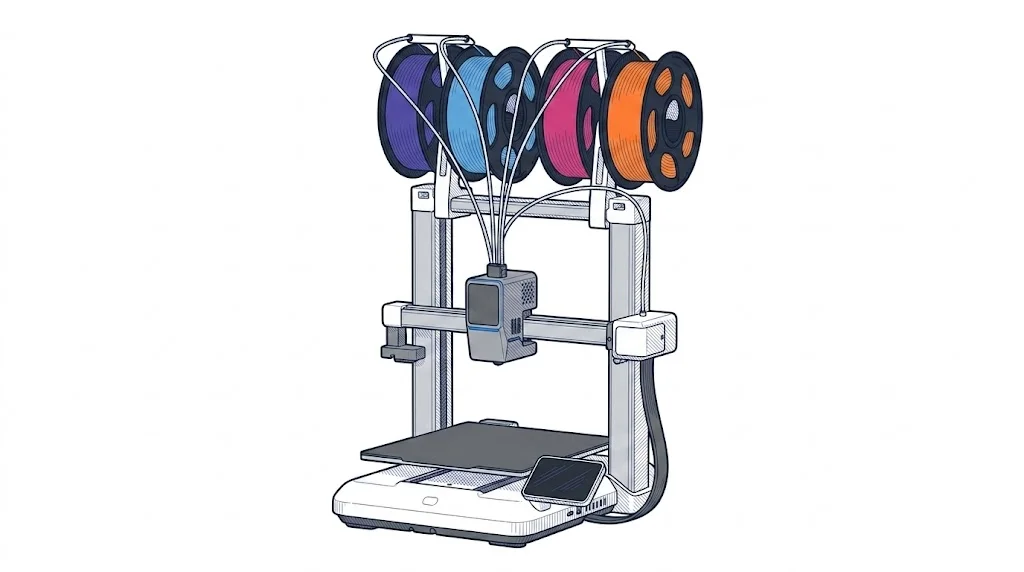
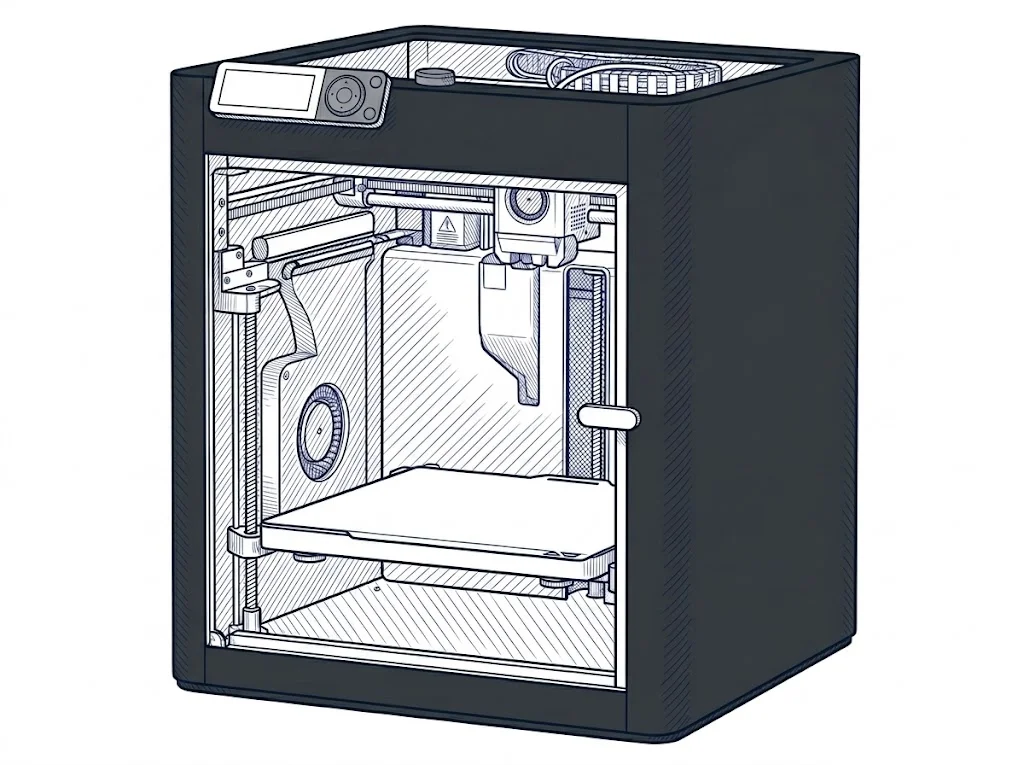
Kobra X and P1S cost almost the same, with the Kobra X €60 cheaper, but the difference that matters most is the chamber: open on the Kobra X, enclosed on the P1S.
| Parameter | ||
|---|---|---|
| Identity | ||
| Launch year | 2026 | 2023 |
| Use tier | F1 — Entry | F2 — Intermediate |
| Price | ||
| Price (€) | 389 € | ~399–499 € |
| Price updated on | 06/2026 | — |
| Universal specs | ||
| Dimensions (W×D×H) (cm) | — | 38.9 × 38.9 × 45.8 cm |
| Weight (kg) | — | 12.95 kg |
| Work area (mm) | 260 × 260 mm | 256 × 256 mm |
| Z-axis height (mm) | 260 mm | 256 mm |
| Power (W) | — | 1000 W |
| Voltage (V) | — | 100 V |
| Maximum speed | 600 mm/s | 500 mm/s |
| Category specs | ||
| Footprint X×Y (short side) (mm) | — | 256 mm |
| Build height Z (mm) | 260 mm | 256 mm |
| Kinematics | Cartesian | CoreXY |
| Max nozzle temperature (°C) | 300 °C | 300 °C |
| Max bed temperature (°C) | 100 °C | 100 °C |
| Max print speed (mm/s) | 600 mm/s | 500 mm/s |
| Enclosed chamber | No | Yes |
| Filament sensor | Yes | Yes |
| Auto bed leveling | Mesh | Mesh |
| Standard nozzle diameter (mm) | 0.4 mm | 0.4 mm |
| Multi-extruder | No | No |
| Native Klipper | Yes | No |
| Input shaper | Yes | Yes |
| Multicolor printing | Yes | Yes |
| Multicolor requires accessory | Yes | Yes |
| Max colors | 4 | 16 |
| Ecosystem | ||
| Cloud dependency | No | No |
| Software notes | Uses Anycubic Slicer Next with AI monitoring capabilities via mobile app and remote control. | The P1S is managed through Bambu Studio, Bambu Lab's proprietary slicer available for Windows, macOS, and Linux, or via OrcaSlicer, the widely adopted open-source fork that provides finer parameter control. The Bambu Handy mobile app enables remote monitoring and print launching. The printer supports local LAN connections without a mandatory cloud account, though some advanced features — such as remote timelapses and OTA firmware updates — require a Bambu account. |
The differences that matter
- Enclosed chamber: only on the P1S → it allows ABS or ASA to print without warping, which the Kobra X can't offer.
- Native Klipper: only on the Kobra X → only here can firmware and macros be edited without Bambu's software.
- Price: €389 vs €449 → the Kobra X costs €60 less.
- Colors with an accessory: 4 on the Kobra X, 16 on the P1S → the P1S cuts manual swaps in multicolor jobs.
Which one to choose
Choose Kobra X if…
On the Kobra X, PLA, PETG or TPU print without an enclosed chamber, with room to tune firmware and profiles thanks to native Klipper, missing on the P1S. Declared speed reaches 600 mm/s against 500 on the P1S. What's given up is the heated chamber, useful for materials that warp in cold air.
Choose P1S if…
On the P1S, ABS or ASA print with the enclosed chamber keeping temperature stable, which the Kobra X doesn't offer, and the AMS handles up to 16 colors (with an accessory) against 4 on the Kobra X. What's accepted is a lower declared speed and no native Klipper.
Where to buy
Paid link: the price for you does not change. Methodology
As an Amazon Associate I earn from qualifying purchases.
Filaments for these printers
The most chosen spools among the materials both printers can print according to their specifications.
- ELEGOO PLA PLA1.75 mm1 kg Check the price on Amazon →
- Bambu Lab PLA PLA1.75 mm1 kg Check the price on Amazon →
- SUNLU PETG (Polyethylene Terephthalate Glycol) PETG (Polyethylene Terephthalate Glycol)1.75 mm1 kg Check the price on Amazon →
- SUNLU PLA PLA1.75 mm1 kg Check the price on Amazon →
- OVERTURE PETG (Polyethylene Terephthalate Glycol) PETG (Polyethylene Terephthalate Glycol)High speed1.75 mm1 kg Check the price on Amazon →
Paid link: the price for you does not change. Methodology
As an Amazon Associate I earn from qualifying purchases.
MakerSpecs is an independent atlas. We don't sell products: the purchase links are the same as on the two product sheets and don't influence the verdict. The sheets have the complete data.