Anycubic Kobra 2 Neo vs Bambu Lab A1 mini
Technical comparison · Fused filament fabrication (FFF/FDM)
Anyone printing larger single pieces on a tighter budget looks at the Kobra 2 Neo; anyone wanting a compact footprint, a filament sensor and the option to add multicolor via accessory looks at the A1 mini. The A1 mini's price is nearly double.
| Parameter | ||
|---|---|---|
| Identity | ||
| Launch year | 2023 | 2023 |
| Use tier | F1 — Entry | F2 — Intermediate |
| Price | ||
| Price (€) | ~149–199 € | 299 € |
| Price updated on | 06/2026 | — |
| Universal specs | ||
| Dimensions (W×D×H) (cm) | 44 × 44 × 48.5 cm | 34.7 × 31.5 × 36.5 cm |
| Weight (kg) | 7.3 kg | 5.7 kg |
| Work area (mm) | 220 × 220 mm | 180 × 180 mm |
| Z-axis height (mm) | 250 mm | 180 mm |
| Power (W) | 400 W | 150 W |
| Maximum speed | 250 mm/s | 500 mm/s |
| Declared precision | — | 50 μm |
| Category specs | ||
| Footprint X×Y (short side) (mm) | 220 mm | 180 mm |
| Build height Z (mm) | 250 mm | 180 mm |
| Kinematics | Cartesian | Cartesian |
| Max nozzle temperature (°C) | 260 °C | 300 °C |
| Max bed temperature (°C) | 110 °C | 80 °C |
| Max print speed (mm/s) | 250 mm/s | 500 mm/s |
| Enclosed chamber | No | No |
| Filament sensor | No | Yes |
| Auto bed leveling | Mesh | Mesh |
| Standard nozzle diameter (mm) | 0.4 mm | 0.4 mm |
| Multi-extruder | No | No |
| Native Klipper | No | No |
| Input shaper | Yes | Yes |
| Multicolor printing | No | Yes |
| Multicolor requires accessory | — | Yes |
| Max colors | 1 | 4 |
| Ecosystem | ||
| Cloud dependency | No | No |
| Software notes | The machine is compatible with major slicing software on the market such as Cura, PrusaSlicer, and Simplify3D, supporting STL and OBJ formats. It features Marlin firmware with advanced functionalities like Linear Advance and Input Shaping. | Compatible with Bambu Studio (OrcaSlicer-derived) and OrcaSlicer. Supports LAN mode for cloud-free printing. Does not run native Klipper. |
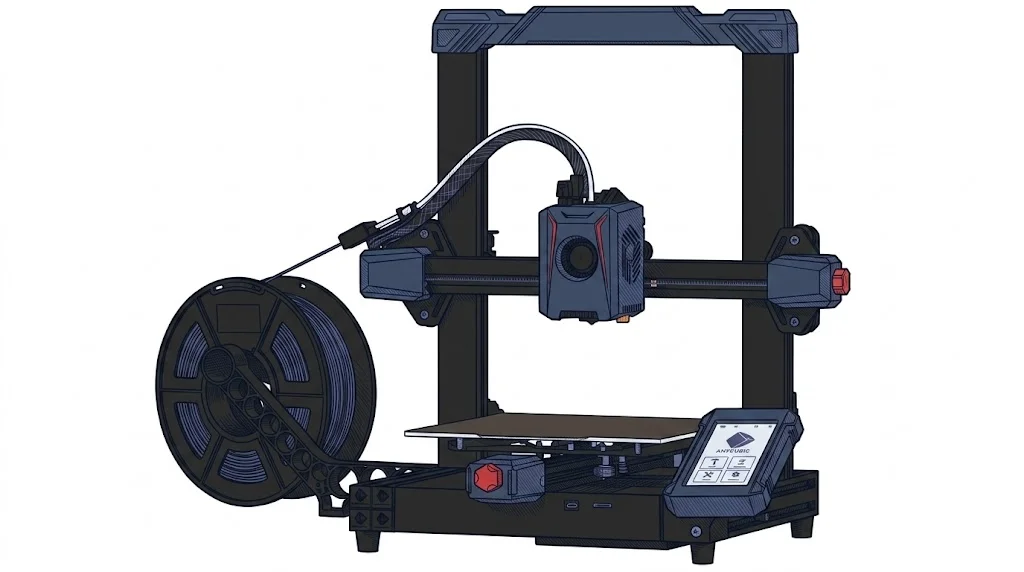
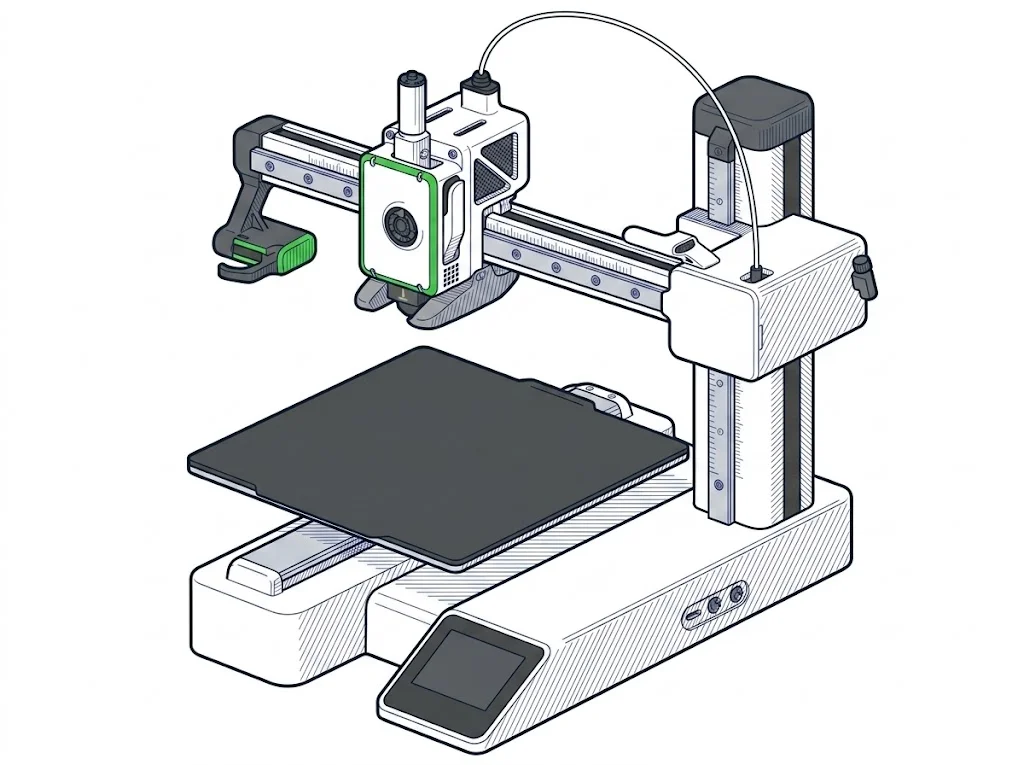
The differences that matter
- Price: €174 vs €299 → the Kobra 2 Neo costs €125 less.
- Print volume: 220×220×250 mm vs 180×180×180 mm → the Kobra 2 Neo fits larger single pieces.
- Filament sensor: only the A1 mini has one → on the Kobra 2 Neo a spool running out goes undetected.
- Max bed temperature: 110 °C vs 80 °C → the Kobra 2 Neo processes materials needing a hotter bed.
Which one to choose
Choose Kobra 2 Neo if…
The Kobra 2 Neo suits single pieces up to 220×220×250 mm and materials needing a hotter bed, rated up to 110 °C. You give up the filament sensor — a spool running out goes undetected — multicolor printing, and rated speed, capped at 250 mm/s against the A1 mini's 500.
Choose A1 mini if…
The A1 mini makes sense for tight desk space, a filament sensor that flags a spool running out, and the option to add multicolor via its dedicated accessory. The trade-off is a smaller print volume (180×180×180 mm vs 220×220×250 mm), a bed maxing at 80 °C against the Kobra 2 Neo's 110 °C, and a price of €299 against €174.
Where to buy
Paid link: the price for you does not change. Methodology
As an Amazon Associate I earn from qualifying purchases.
Filaments for these printers
The most chosen spools among the materials both printers can print according to their specifications.
- ELEGOO PLA PLA1.75 mm1 kg Check the price on Amazon →
- Bambu Lab PLA PLA1.75 mm1 kg Check the price on Amazon →
- SUNLU PETG (Polyethylene Terephthalate Glycol) PETG (Polyethylene Terephthalate Glycol)1.75 mm1 kg Check the price on Amazon →
- SUNLU PLA PLA1.75 mm1 kg Check the price on Amazon →
- OVERTURE PETG (Polyethylene Terephthalate Glycol) PETG (Polyethylene Terephthalate Glycol)High speed1.75 mm1 kg Check the price on Amazon →
Paid link: the price for you does not change. Methodology
As an Amazon Associate I earn from qualifying purchases.
MakerSpecs is an independent atlas. We don't sell products: the purchase links are the same as on the two product sheets and don't influence the verdict. The sheets have the complete data.