Bambu Lab H2C vs Elegoo OrangeStorm Giga
Technical comparison · Fused filament fabrication (FFF/FDM)
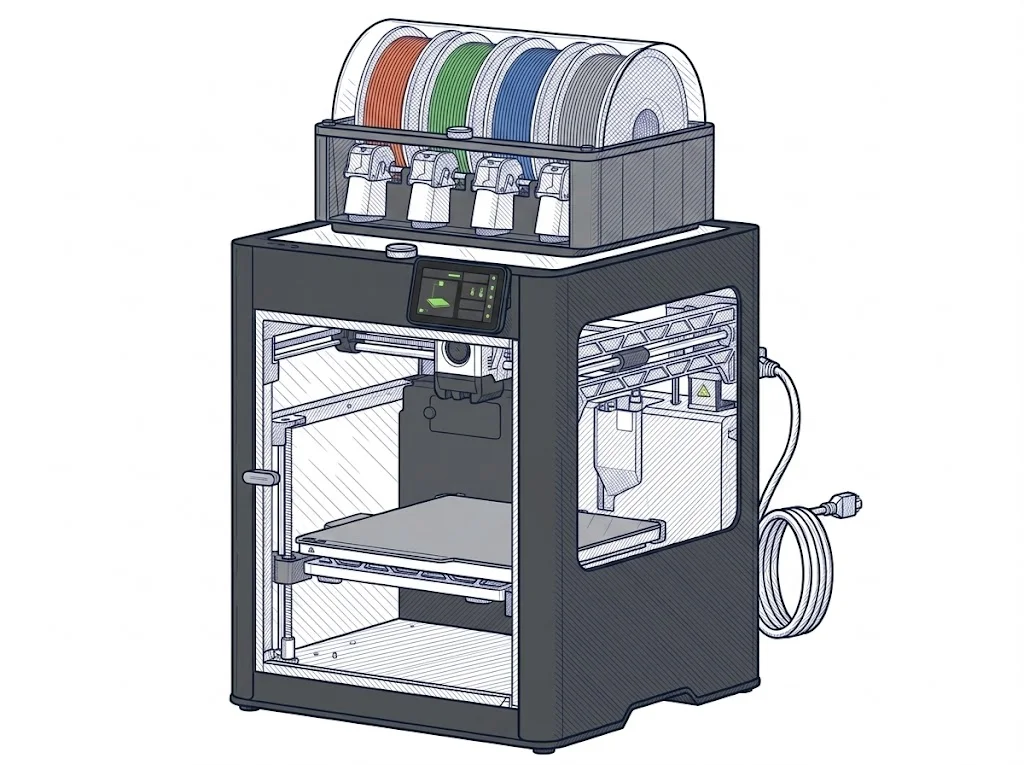
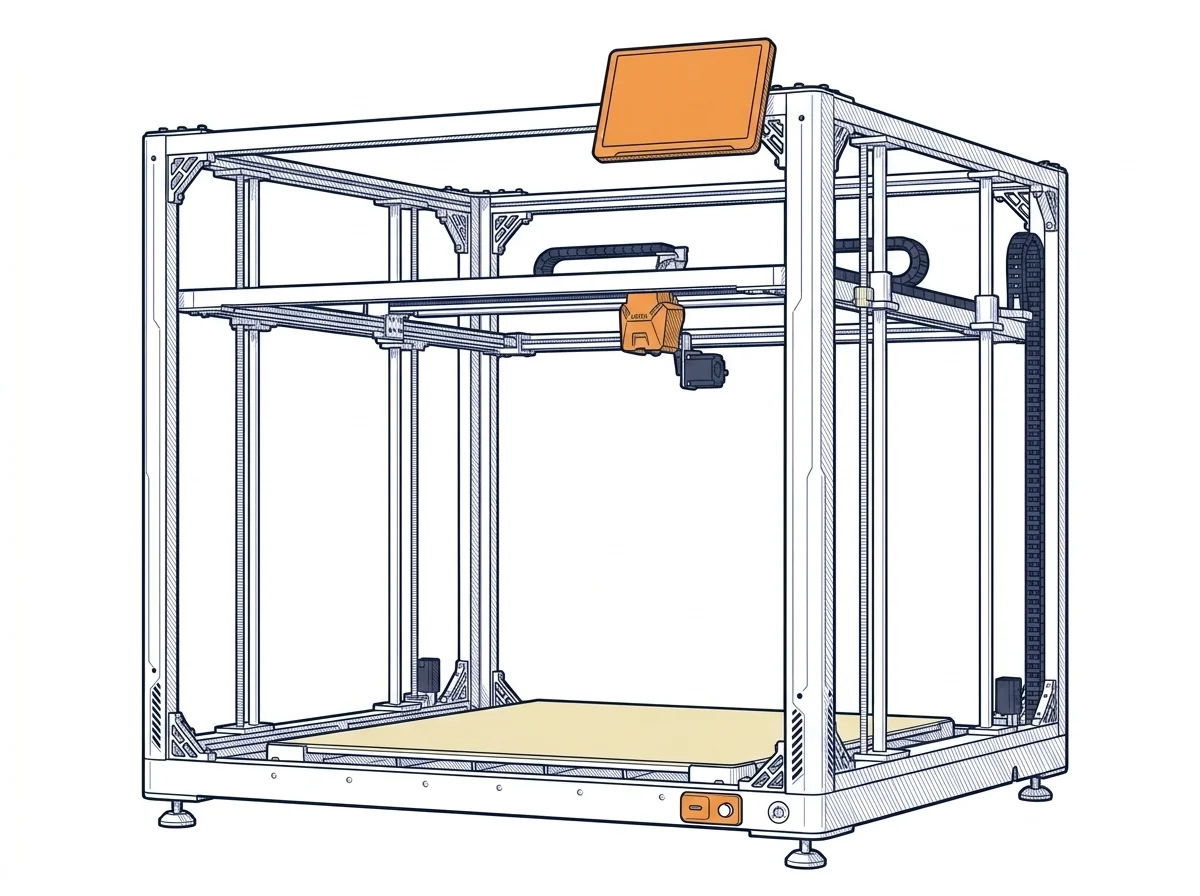
They don't do the same job: the H2C is an enclosed benchtop printer for multicolour or multi-material parts; the OrangeStorm Giga is a large-format machine for very big one-piece parts. The choice is between build volume and a closed chamber with more colours, with a gap of about €900.
| Parameter | ||
|---|---|---|
| Awards | — | |
| Identity | ||
| Launch year | 2025 | 2024 |
| Use tier | F3 — Advanced | F3 — Advanced |
| Price | ||
| Price (€) | 2249 € | ~2800–3500 € |
| Universal specs | ||
| Dimensions (W×D×H) (cm) | 49.2 × 51.4 × 62.6 cm | 122.4 × 120.4 × 142.5 cm |
| Weight (kg) | 32.5 kg | 104 kg |
| Work area (mm) | 330 × 320 mm | 800 × 800 mm |
| Z-axis height (mm) | 325 mm | 1000 mm |
| Power (W) | 1800 W | 1530 W |
| Voltage (V) | — | 230 V |
| Maximum speed | 1000 mm/s | 300 mm/s |
| Declared precision | 50 μm | 0.1 mm |
| Category specs | ||
| Footprint X×Y (short side) (mm) | 320 mm | 800 mm |
| Build height Z (mm) | 325 mm | 1000 mm |
| Kinematics | CoreXY | Cartesian |
| Max nozzle temperature (°C) | 350 °C | 300 °C |
| Max bed temperature (°C) | 120 °C | 100 °C |
| Max print speed (mm/s) | 1000 mm/s | 300 mm/s |
| Enclosed chamber | Yes | No |
| Filament sensor | Yes | Yes |
| Auto bed leveling | Mesh | Mesh |
| Standard nozzle diameter (mm) | 0.4 mm | 0.6 mm |
| Multi-extruder | Yes | No |
| Native Klipper | No | Yes |
| Input shaper | Yes | Yes |
| Multicolor printing | Yes | No |
| Multicolor requires accessory | Yes | Yes |
| Max colors | 24 | 4 |
| Ecosystem | ||
| Cloud dependency | No | No |
| Software notes | The printer is operated through Bambu Studio, Bambu Lab's open-source slicer based on PrusaSlicer, available for Windows, macOS, and Linux. Remote control is available via the Bambu Handy app or Bambu Suite. The machine includes a 5" color touchscreen for local operation and connects over dual-band Wi-Fi. The firmware is proprietary; Klipper is not natively supported. | The system is powered by Klipper-based firmware, processed by a 64-bit quad-core SoC, enabling speeds up to 300 mm/s. Connectivity is comprehensive, offering USB, Ethernet, and Wi-Fi ports for the remote management of massive G-code files. The user interface is accessible via a generous 10.1-inch capacitive touchscreen, which is detachable from the chassis for comfortable positioning. The machine is best managed using the Elegoo Cura slicer but supports standard STL and OBJ formats, allowing broad workflow flexibility without any dependence on cloud platforms. |
MakerSpecs Awards
Nessun riconoscimento in questa fascia.
Largest work area Advanced
The largest work area among advanced Fused filament fabrication (FFF/FDM) machines: 6400 cm².
How we assign awards →The differences that matter
- Volume 330 × 320 × 325 mm against 800 × 800 × 1,000 mm → a one-metre-tall part prints whole on the Giga, split on the H2C.
- Enclosed against open → the H2C handles materials that dislike drafts, the Giga does not.
- Up to 24 colours (with accessory) against 4 → serious multicolour is on the H2C.
- CoreXY against Cartesian kinematics → the H2C is built as a compact, quick machine, the Giga for long travel.
Which one to choose
Choose H2C if…
You print functional or multicolour parts up to 330 × 320 × 325 mm, in an enclosed chamber, with a nozzle up to 350 °C and a bed up to 120 °C. With the multicolour accessory it reaches 24 colours. It costs €2,249, about €900 less, but that volume is the ceiling: a bigger part has to be split and glued.
Choose OrangeStorm Giga if…
You need one large object, up to 800 × 800 × 1,000 mm, such as a piece of furniture or a stage prop, with a 0.6 mm nozzle as standard and Klipper firmware. In return there is no enclosure, the bed reaches 100 °C, colours top out at 4 and the machine weighs 104 kg, with a footprint about 1.2 m on a side. It costs about €900 more.
Where to buy
Paid link: the price for you does not change. Methodology
As an Amazon Associate I earn from qualifying purchases.
Filaments for these printers
The most chosen spools among the materials both printers can print according to their specifications.
- ELEGOO PLA PLA1.75 mm1 kg Check the price on Amazon →
- Bambu Lab PLA PLA1.75 mm1 kg Check the price on Amazon →
- SUNLU PETG (Polyethylene Terephthalate Glycol) PETG (Polyethylene Terephthalate Glycol)1.75 mm1 kg Check the price on Amazon →
- SUNLU PLA PLA1.75 mm1 kg Check the price on Amazon →
- OVERTURE PETG (Polyethylene Terephthalate Glycol) PETG (Polyethylene Terephthalate Glycol)High speed1.75 mm1 kg Check the price on Amazon →
Paid link: the price for you does not change. Methodology
As an Amazon Associate I earn from qualifying purchases.
MakerSpecs is an independent atlas. We don't sell products: the purchase links are the same as on the two product sheets and don't influence the verdict. The sheets have the complete data.