Creality K2 Combo vs Snapmaker U1
Technical comparison · Fused filament fabrication (FFF/FDM)
Choose the Creality K2 Combo if you are looking for high-speed, enclosed multi-color printing on a lower budget. Choose the Snapmaker U1 if you prefer higher precision, a native multi-extruder system for 4 materials, and a fully open-source Klipper environment.
| Parameter | ||
|---|---|---|
| Identity | ||
| Launch year | 2024 | 2026 |
| Use tier | F2 — Intermediate | F2 — Intermediate |
| Price | ||
| Price (€) | ~550–700 € | 849 € |
| Price updated on | 06/2026 | — |
| Universal specs | ||
| Dimensions (W×D×H) (cm) | 40.4 × 43.6 × 54.5 cm | 58.4 × 49.9 × 73 cm |
| Weight (kg) | 18 kg | 18.2 kg |
| Work area (mm) | 260 × 260 mm | 270 × 270 mm |
| Z-axis height (mm) | 260 mm | 270 mm |
| Power (W) | 1350 W | 1150 W |
| Voltage (V) | 240 V | — |
| Maximum speed | 600 mm/s | 500 mm/s |
| Declared precision | 0.1 mm | 0.04 mm |
| Category specs | ||
| Footprint X×Y (short side) (mm) | 260 mm | 270 mm |
| Build height Z (mm) | 260 mm | 270 mm |
| Kinematics | CoreXY | CoreXY |
| Max nozzle temperature (°C) | 300 °C | 300 °C |
| Max bed temperature (°C) | 100 °C | 100 °C |
| Max print speed (mm/s) | 600 mm/s | 500 mm/s |
| Enclosed chamber | Yes | No |
| Filament sensor | Yes | Yes |
| Auto bed leveling | Mesh | Mesh |
| Standard nozzle diameter (mm) | 0.4 mm | 0.4 mm |
| Multi-extruder | No | Yes |
| Native Klipper | Yes | Yes |
| Input shaper | Yes | Yes |
| Multicolor printing | Yes | Yes |
| Multicolor requires accessory | No | No |
| Max colors | 16 | 4 |
| Ecosystem | ||
| Cloud dependency | No | No |
| Software notes | Powered by CrealityOS, a Klipper-based firmware, it supports remote control via Wi-Fi or LAN and interfaces natively with Creality Print and other compatible slicers for advanced multi-color workflow management. | The primary software is Snapmaker Orca, an optimized version of the popular OrcaSlicer, which provides native management of the four toolheads and factory-calibrated material profiles. The printer can also be seamlessly managed via the Snapmaker mobile app for remote monitoring, taking advantage of the built-in 1080p camera. The internal firmware is built on Klipper, Moonraker, and Fluidd, which Snapmaker has made open-source, allowing experienced users to customize the machine and integrate it into complex workflows. |
The differences that matter
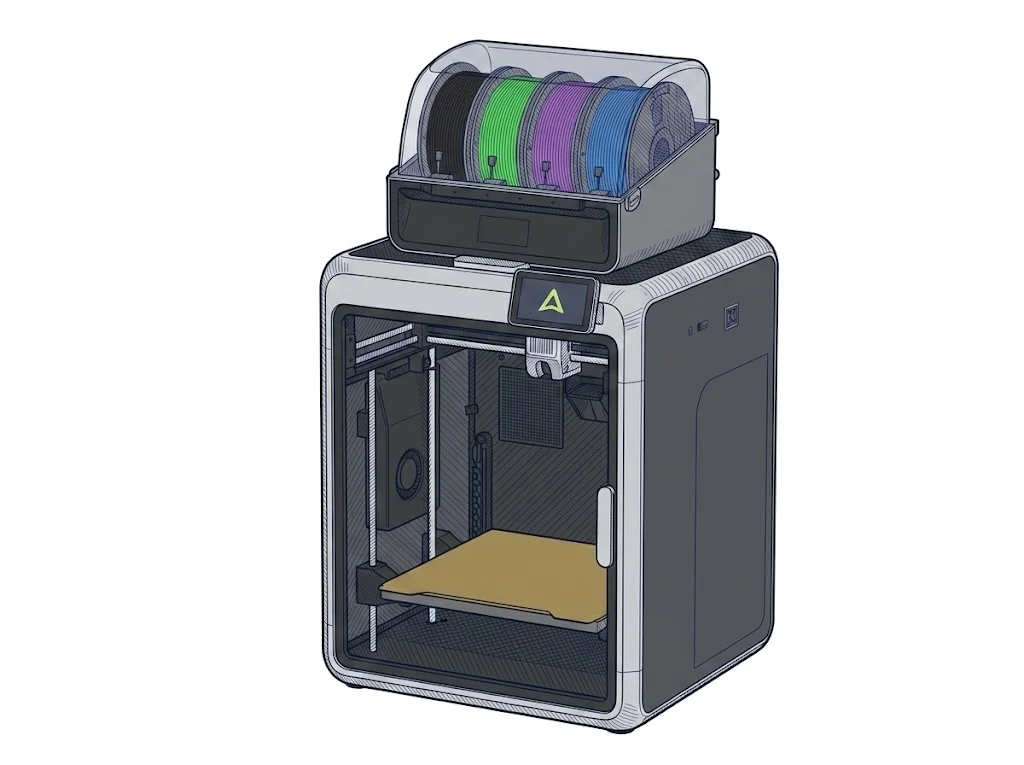
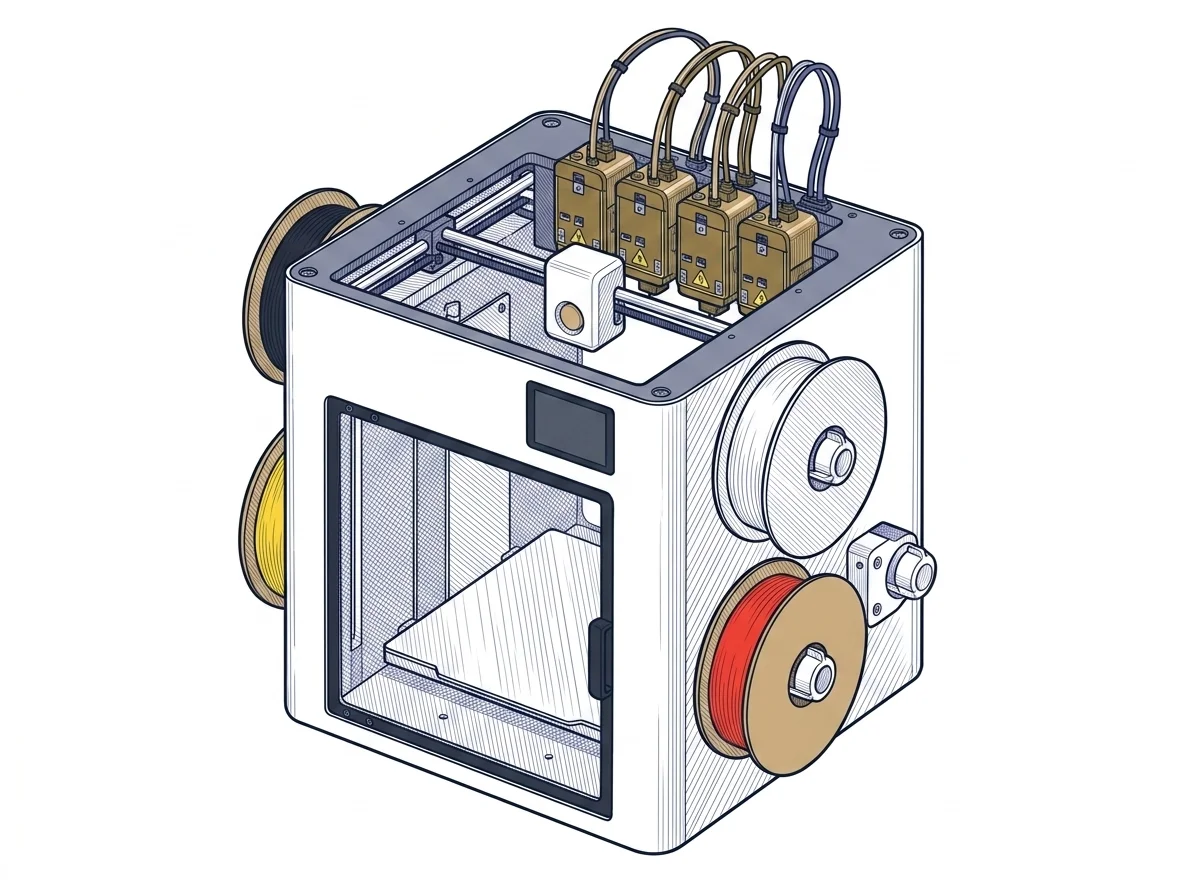
- Multi-color and extrusion: The Creality K2 Combo manages up to 16 colors via an external system without being a multi-extruder, while the Snapmaker U1 uses a multi-extruder system to natively support up to 4 colors.
- Speed and precision: The K2 Combo reaches higher maximum speeds (600 mm/s vs 500 mm/s for the U1), but the Snapmaker claims greater precision (0.04 mm vs 0.1 mm for the Creality).
- Structure and thermals: The Creality features an enclosed chamber (useful for technical materials) and is more compact. The Snapmaker U1 has an open structure and significantly larger external dimensions (58.4×49.9×73 cm vs 40.4×43.6×54.5 cm).
- Price and power: The K2 Combo has a lower estimated price (~€550-700) but a higher power draw (1350 W), compared to the U1's €849 and 1150 W.
Which one to choose
Choose K2 Combo if…
Choose the Creality K2 Combo if your priority is printing models with up to 16 colors at high speeds (600 mm/s). The enclosed chamber provides better thermal management for technical filaments, keeping the machine compact and at a more accessible estimated price point (€550-700).
Choose U1 if…
Choose the Snapmaker U1 if you need a slightly larger build volume (270×270×270 mm) and support for independent multi-extruders for 4 colors/materials, combined with a high declared precision of 0.04 mm. It is ideal for those who value optimized software like Snapmaker Orca and an open Klipper firmware for advanced customization, accepting an open structure and a larger footprint.
Where to buy
Paid link: the price for you does not change. Methodology
Filaments for these printers
The most chosen spools among the materials both printers can print according to their specifications.
- ELEGOO PLA PLA1.75 mm1 kg Check the price on Amazon →
- Bambu Lab PLA PLA1.75 mm1 kg Check the price on Amazon →
- SUNLU PETG (Polyethylene Terephthalate Glycol) PETG (Polyethylene Terephthalate Glycol)1.75 mm1 kg Check the price on Amazon →
- SUNLU PLA PLA1.75 mm1 kg Check the price on Amazon →
- OVERTURE PETG (Polyethylene Terephthalate Glycol) PETG (Polyethylene Terephthalate Glycol)High speed1.75 mm1 kg Check the price on Amazon →
Paid link: the price for you does not change. Methodology
As an Amazon Associate I earn from qualifying purchases.
MakerSpecs is an independent atlas. We don't sell products: the purchase links are the same as on the two product sheets and don't influence the verdict. The sheets have the complete data.