Bambu Lab A1 vs Snapmaker U1
Technical comparison · Fused filament fabrication (FFF/FDM)
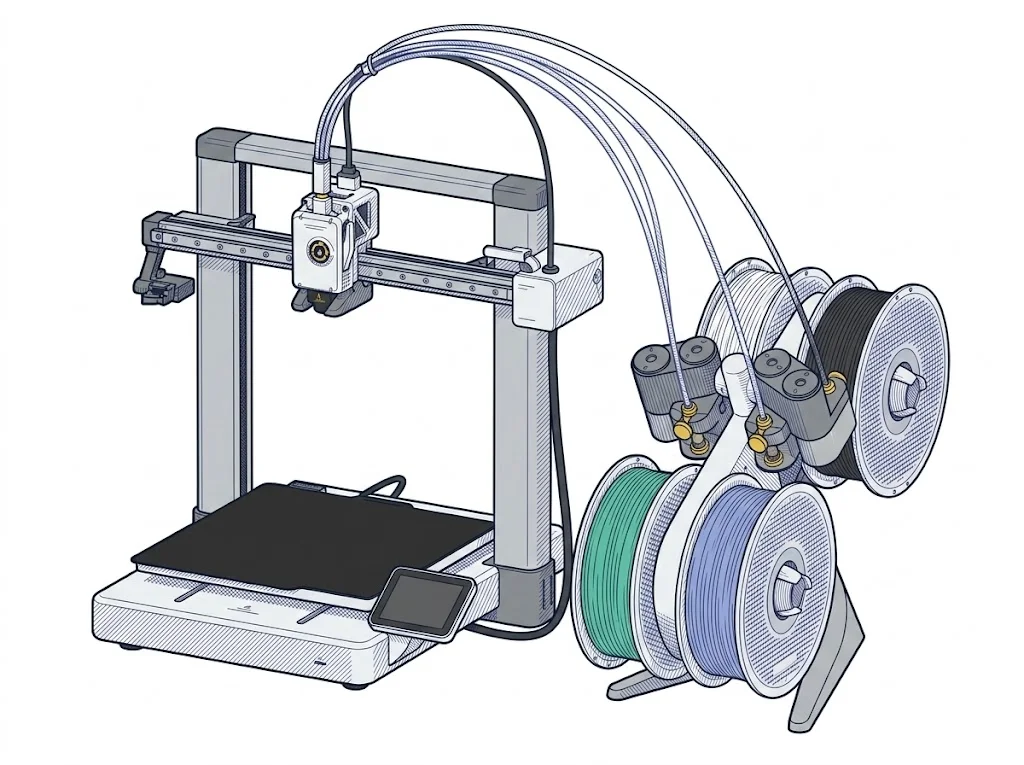
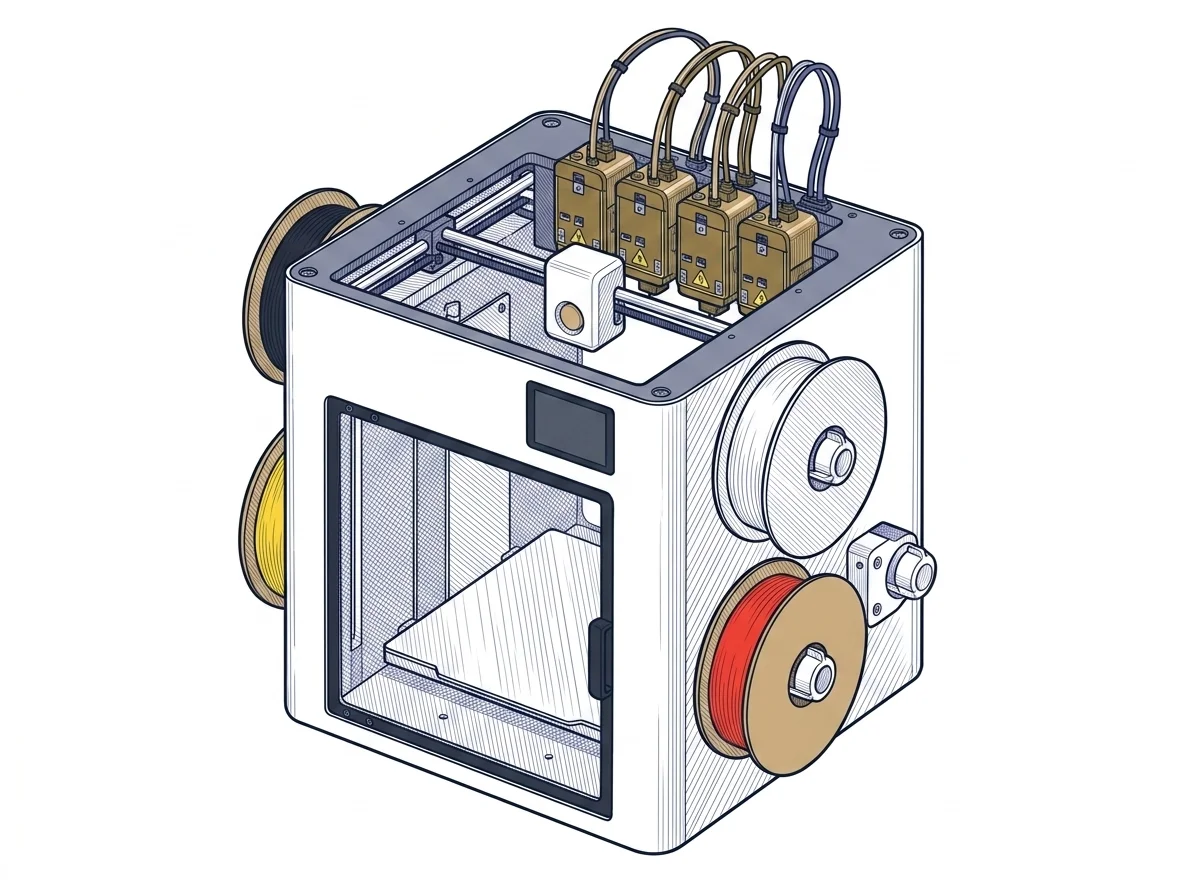
Anyone after multicolor printing without extra hardware should look at the U1: its four built-in extruders handle color changes on their own, while the A1 reaches the same result only by pairing it with a separate AMS. The price of the two machines reflects this difference in approach.
| Parameter | ||
|---|---|---|
| Identity | ||
| Launch year | 2023 | 2026 |
| Use tier | F2 — Intermediate | F2 — Intermediate |
| Price | ||
| Price (€) | 429 € | 849 € |
| Universal specs | ||
| Dimensions (W×D×H) (cm) | 38.5 × 41 × 43 cm | 58.4 × 49.9 × 73 cm |
| Weight (kg) | 8.3 kg | 18.2 kg |
| Work area (mm) | 256 × 256 mm | 270 × 270 mm |
| Z-axis height (mm) | 256 mm | 270 mm |
| Power (W) | 1300 W | 1150 W |
| Voltage (V) | 220 V | — |
| Maximum speed | 500 mm/s | 500 mm/s |
| Declared precision | — | 0.04 mm |
| Category specs | ||
| Footprint X×Y (short side) (mm) | 256 mm | 270 mm |
| Build height Z (mm) | 256 mm | 270 mm |
| Kinematics | Cartesian | CoreXY |
| Max nozzle temperature (°C) | 300 °C | 300 °C |
| Max bed temperature (°C) | 100 °C | 100 °C |
| Max print speed (mm/s) | 500 mm/s | 500 mm/s |
| Enclosed chamber | No | No |
| Filament sensor | Yes | Yes |
| Auto bed leveling | Mesh | Mesh |
| Standard nozzle diameter (mm) | 0.4 mm | 0.4 mm |
| Multi-extruder | No | Yes |
| Native Klipper | No | Yes |
| Input shaper | Yes | Yes |
| Multicolor printing | Yes | Yes |
| Multicolor requires accessory | Yes | No |
| Max colors | 4 | 4 |
| Ecosystem | ||
| Cloud dependency | No | No |
| Software notes | The A1 works natively with Bambu Studio, Bambu Lab's proprietary slicer available for Windows and macOS, which handles slicing, automatic calibrations, and remote monitoring via the Bambu Handy app. Third-party slicers — including PrusaSlicer, SuperSlicer, and Ultimaker Cura — are supported via standard G-code export, but advanced features such as vibration compensation and active flow control are only available within the Bambu ecosystem. | The primary software is Snapmaker Orca, an optimized version of the popular OrcaSlicer, which provides native management of the four toolheads and factory-calibrated material profiles. The printer can also be seamlessly managed via the Snapmaker mobile app for remote monitoring, taking advantage of the built-in 1080p camera. The internal firmware is built on Klipper, Moonraker, and Fluidd, which Snapmaker has made open-source, allowing experienced users to customize the machine and integrate it into complex workflows. |
The differences that matter
- Multi-extruder: the U1 has four built-in extruders, the A1 just one — the U1 handles multicolor without adding an AMS.
- Native Klipper: only on the U1, with open-source Moonraker and Fluidd, for anyone who wants to modify the firmware.
- Price: the A1 costs €420 less.
- Footprint: the U1 weighs 18.2 kg against 8.3 kg and takes up more desk space (58×50×73 cm against 38×41×43 cm).
Which one to choose
Choose A1 if…
Anyone who prints mostly in a single color, or is happy to add the AMS later, saves money with the A1 and relies on Bambu Studio, the proprietary slicer established since 2023 with automatic calibration. The trade-off is no native Klipper and no second extruder built into the machine.
Choose U1 if…
Anyone who switches colors often and doesn't want to manage an external accessory gets four built-in extruders with the U1, driven by the Snapmaker Orca slicer with factory-calibrated material profiles, plus native Klipper firmware (Moonraker, Fluidd) open to customization. The higher price and larger footprint are the cost of this setup.
Where to buy
Paid link: the price for you does not change. Methodology
As an Amazon Associate I earn from qualifying purchases.
Filaments for these printers
The most chosen spools among the materials both printers can print according to their specifications.
- ELEGOO PLA PLA1.75 mm1 kg Check the price on Amazon →
- Bambu Lab PLA PLA1.75 mm1 kg Check the price on Amazon →
- SUNLU PETG (Polyethylene Terephthalate Glycol) PETG (Polyethylene Terephthalate Glycol)1.75 mm1 kg Check the price on Amazon →
- SUNLU PLA PLA1.75 mm1 kg Check the price on Amazon →
- OVERTURE PETG (Polyethylene Terephthalate Glycol) PETG (Polyethylene Terephthalate Glycol)High speed1.75 mm1 kg Check the price on Amazon →
Paid link: the price for you does not change. Methodology
As an Amazon Associate I earn from qualifying purchases.
MakerSpecs is an independent atlas. We don't sell products: the purchase links are the same as on the two product sheets and don't influence the verdict. The sheets have the complete data.